
Download Collectors – Free Personal Collection Management Tool
Overview
Collectors is a bespoke desktop and mobile application designed to store, sort, and manage personal items of any kind. Whether you are a avid gamer with dozens of titles, a bibliophile with a growing library, or a movie enthusiast curating a digital and physical collection, Collectors offers a single, user‑friendly hub that replaces the fragmented, built‑in file‑sorting methods of most operating systems. The software goes beyond simple cataloguing by allowing you to create custom categories, attach high‑resolution images, add detailed metadata, and even generate printable barcodes for real‑world objects.
A built‑in wish‑list feature lets you flag items you plan to acquire, while powerful search and filter tools make it easy to locate a specific game, book, or piece of art in seconds. Because the tool is built on a modern, cross‑platform framework, it runs securely on Windows, macOS, Android, and iOS, ensuring that your collection stays synchronized across devices. The intuitive interface, drag‑and‑drop organization, and automatic backup options make Collectors a reliable, long‑term solution for hobbyists, collectors, and small museums alike.
In short, Collectors turns the chaos of scattered spreadsheets and paper inventories into a sleek, searchable digital archive that grows with you.
Core Features
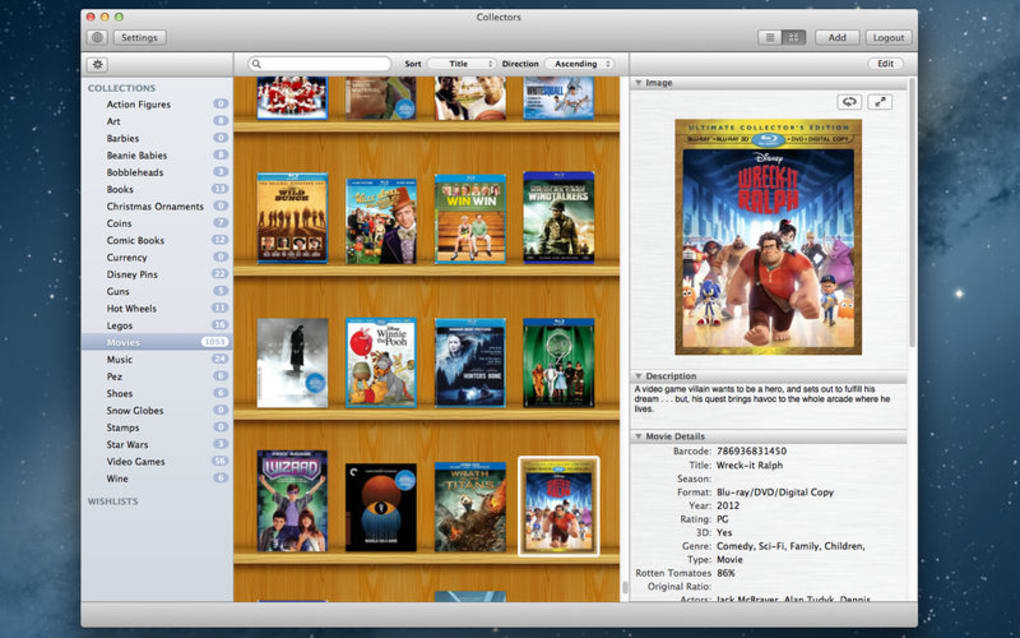
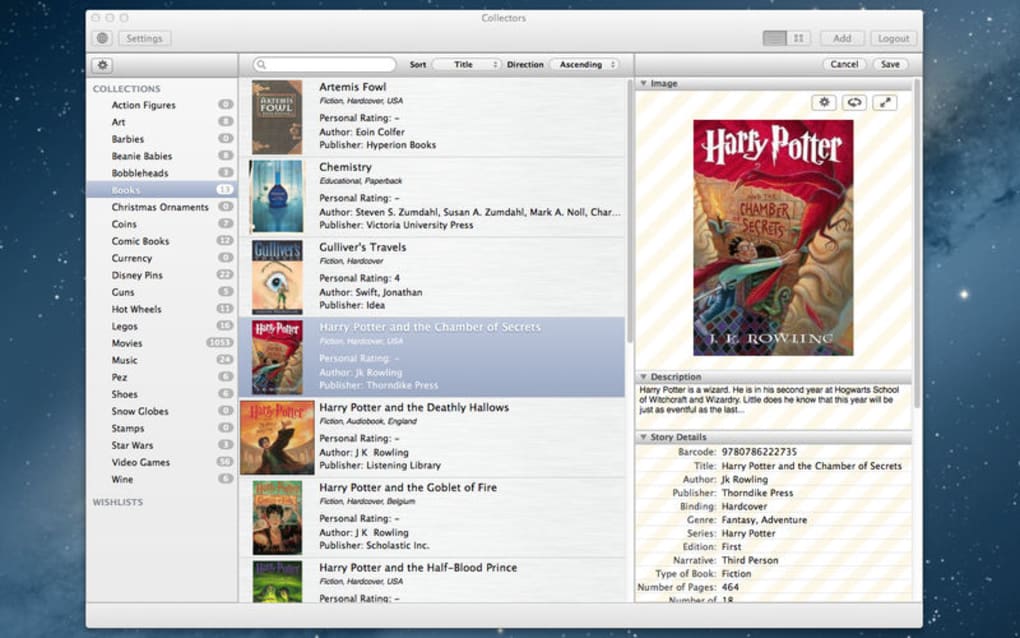
- Multi‑Category Support: Create unlimited categories such as Video Games, Books, Movies, Puzzles, Art, and custom tags to fit any collection.
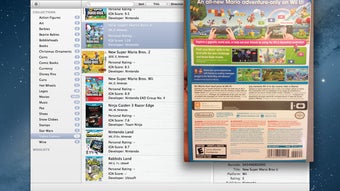
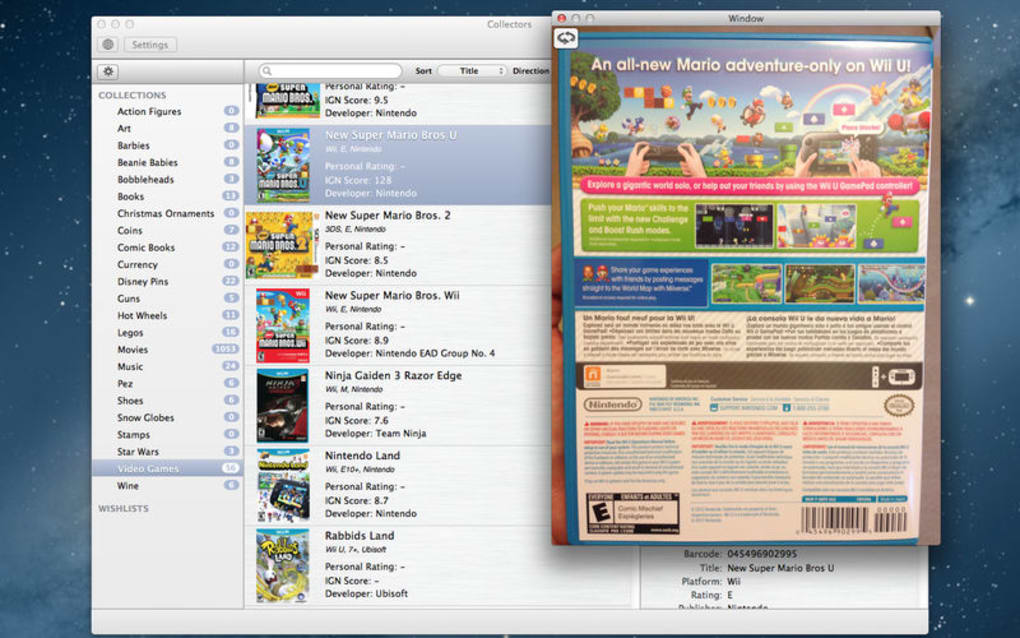
- Barcode Generator: Generate printable barcodes for physical items, enabling quick scanning and automatic entry into the database.
- Rich Metadata Fields: Store detailed information – release date, publisher, genre, condition, price, and personal notes – for each item.
- High‑Resolution Image Attachments: Upload cover art, photographs, or scanned documents and view them in a built‑in gallery.
- Advanced Search & Filters: Use keyword search, Boolean operators, and filter by category, rating, or custom tags.
- Wish‑List Management: Mark items you intend to purchase later; the app can notify you of price drops or availability.
- Cross‑Platform Sync: Automatic cloud sync keeps your collection consistent across Windows, macOS, Android, and iOS devices.
- Secure Backup & Export: Export collections to CSV, JSON, or PDF; schedule encrypted backups to local drives or cloud services.
- Customizable Views: Choose between list, grid, or timeline views, and apply custom themes for a personalized experience.
- Batch Editing: Modify multiple entries at once – perfect for updating series information or correcting metadata errors.
Installation, Setup & Compatibility
Installing Collectors is straightforward and designed for users of all technical levels. For desktop platforms, download the installer from the official website. The Windows version is an .exe file, while macOS users receive a signed .dmg package. Both installers include a digital signature, guaranteeing a secure, malware‑free installation. Mobile users can find Collectors in the Google Play Store (Android) and the Apple App Store (iOS); the app automatically updates to the latest version, ensuring you always have the newest features and security patches.
After launching the installer, follow the on‑screen wizard: accept the license agreement, choose an installation folder (the default is recommended for most users), and click “Install.” The process takes less than two minutes on a typical system. Once installed, the first launch opens a brief onboarding tour that explains how to create your first collection, import existing spreadsheets, and generate barcodes. The tour is optional and can be revisited later via the “Help” menu.
Collectors is compatible with the following operating systems, listed with the appropriate itemprop attribute for schema.org compliance:
- Windows 10, 11 (64‑bit)
- macOS 11 Big Sur and later (Intel & Apple Silicon)
- Android 8.0 (Oreo) and above
- iOS 13 and later (iPhone & iPad)
After the initial setup, you can import existing data via CSV or JSON, or start a brand‑new collection from scratch. The app creates a secure local database encrypted with AES‑256, and you may enable optional cloud sync using your preferred provider (Dropbox, Google Drive, or OneDrive). For users concerned about privacy, all data is stored client‑side unless you explicitly enable cloud sync, and the privacy policy guarantees no third‑party tracking.
Pros and Cons
Pros
- All‑in‑one solution eliminates the need for multiple spreadsheets or paper logs.
- Cross‑platform support ensures your collection is accessible on any device.
- Barcode generator bridges the gap between digital cataloguing and physical inventory.
- Rich metadata fields and image support make each entry highly detailed.
- Automatic cloud sync and encrypted backups protect against data loss.
- Free core version with optional premium add‑ons for advanced reporting.
- User‑friendly interface with drag‑and‑drop organization.
- Regular updates keep the software secure and feature‑rich.
Cons
- Premium features (advanced analytics, multi‑user collaboration) require a paid subscription.
- Initial learning curve for users unfamiliar with metadata standards.
- Mobile app lacks some desktop‑only functionalities such as bulk CSV export.
- Requires internet connection for cloud sync and barcode printing.
- Large collections (10,000+ items) may experience slight performance lag on older hardware.
Collectors stands out as a robust, secure, and flexible tool for anyone serious about managing personal collections. Its barcode generator and cross‑platform sync are game‑changing, while the free tier offers more than enough features for casual users. The only drawback is the optional premium pricing for advanced analytics, but the core functionality remains exceptionally strong.
Frequently Asked Questions
Can I use Collectors without an internet connection?
Yes. All data is stored locally on your device. Internet is only required for optional cloud sync, barcode printing via online services, or downloading updates.
Is my personal data safe with Collectors?
Absolutely. The application encrypts the local database with AES‑256. If you enable cloud sync, data is transferred over TLS 1.3 and stored encrypted on the chosen cloud provider.
Can I import an existing spreadsheet of my collection?
Yes. Collectors supports CSV and JSON import. During the import wizard you can map your columns to the app’s metadata fields.
How does the barcode generator work?
You can create a unique barcode for each item directly in the app. The barcode follows the Code 128 standard and can be printed on labels or stickers to attach to physical objects.
Is there a limit to the number of items I can store?
The free version has no hard limit, but performance may decline on very old hardware with collections exceeding 15,000 items. Premium users get performance optimizations.
Conclusion & Call to Action
In a world where personal collections are growing both in size and complexity, Collectors offers a secure, feature‑rich, and cross‑platform solution that bridges the gap between digital organization and real‑world inventory. Its barcode creator, robust metadata handling, and seamless cloud sync make it a must‑have for hobbyists, archivists, and anyone who wants to keep track of treasured items without the hassle of spreadsheets or paper logs. The free core version already provides a comprehensive toolbox, while optional premium upgrades unlock deeper analytics and collaborative capabilities. Ready to take control of your collections? Download Collectors today, start building your personalized catalog, and experience the peace of mind that comes with a well‑organized inventory.







